SSL certificates are getting shorter
From 398 days to 47: what changes until 2029, how automatic renewal really breaks and how to never miss it
Introduction: renewal used to be a yearly chore
When a certificate expires, browsers replace your website with a full-page security warning. Most visitors leave, payment forms stop working and API clients refuse to connect - all at once, at the exact second written in the certificate.
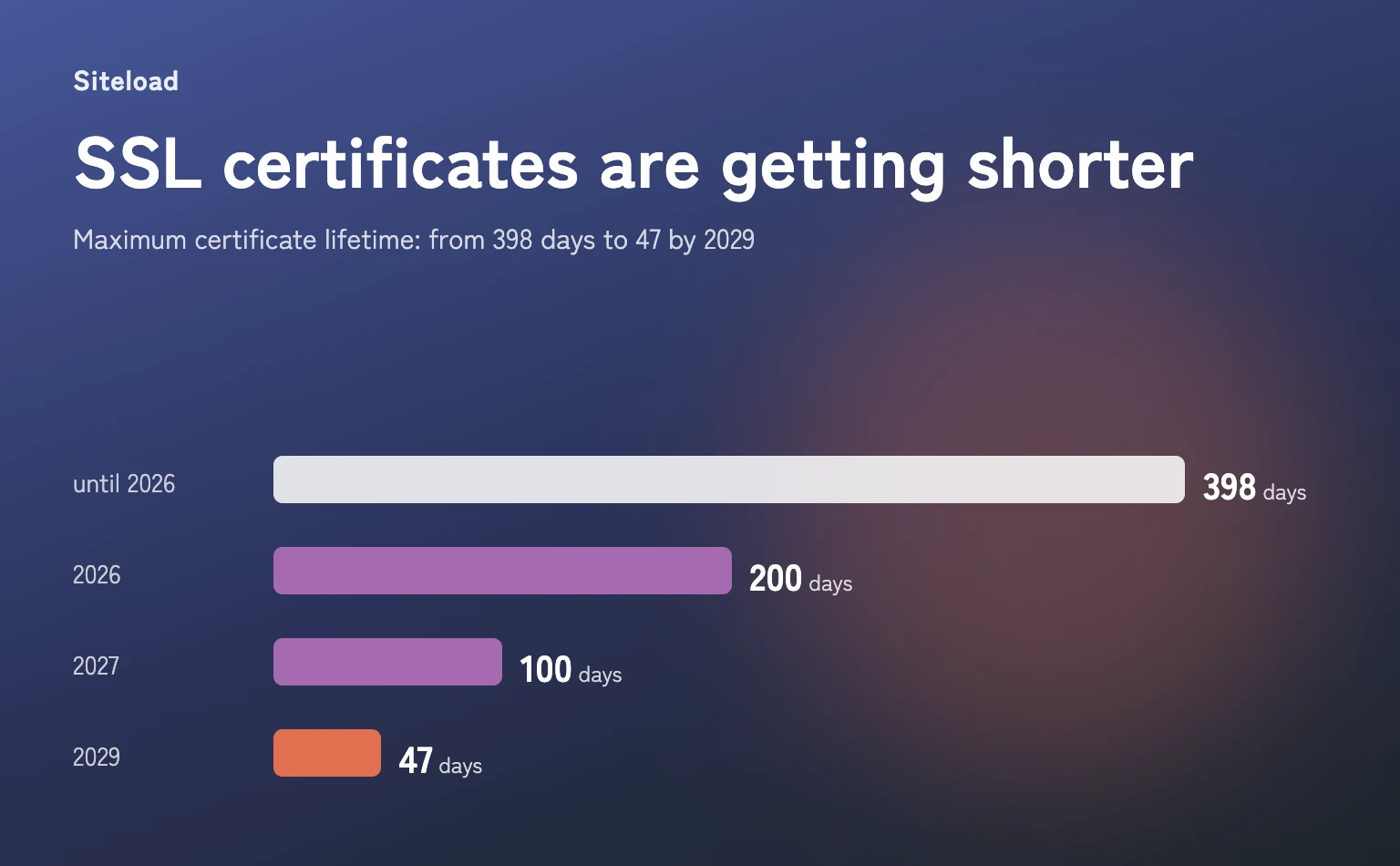
For years it was a yearly chore: buy, install, set a reminder. That is over. The maximum lifetime of a public certificate is being cut step by step, and by 2029 every website will renew its certificate about eight times a year.
The timeline: 398, 200, 100, 47 days
In April 2025 the CA/Browser Forum - the certificate authorities together with Apple, Google, Microsoft and Mozilla - approved ballot SC-081. It sets a schedule for the maximum lifetime of public TLS certificates:
| Certificates issued | Maximum lifetime | Renewals per year |
|---|---|---|
| Before March 15, 2026 | 398 days | ~1 |
| From March 15, 2026 | 200 days | ~2 |
| From March 15, 2027 | 100 days | ~4 |
| From March 15, 2029 | 47 days | ~8 |
The limits apply to the issue date, so a certificate issued the day before a deadline keeps its longer lifetime. The time a certificate authority may reuse a domain validation shrinks too - to 10 days by 2029, so every renewal will also need a fresh proof that you control the domain.
Let's Encrypt, the largest certificate authority, goes even faster. Its certificates are valid for 90 days today, and it has announced the following steps:
- May 13, 2026 - 45-day certificates as an opt-in profile for early adopters.
- February 10, 2027 - the default lifetime becomes 64 days.
- February 16, 2028 - the default lifetime becomes 45 days, and a domain validation can be reused for only 7 hours.
Let's Encrypt warns that a hardcoded renewal schedule (for example "every 60 days") is no longer enough for 45-day certificates. Its advice: let the client ask when to renew (ACME Renewal Information) or renew after two thirds of the lifetime, and monitor that renewals actually happen.
How renewal breaks: it is rarely the renewal itself
Short lifetimes are only safe with full automation, and most websites already have it: certbot, a hosting panel or a CDN renews the certificate. The problem is that automation fails silently. On our own server we have run into three of the cases below:
- The certificate was renewed, but the web server still serves the old one. nginx and Apache read the certificate at start and keep it in memory. Without a reload after the renewal, the new file sits on disk while visitors get the old certificate until it expires. This is the most common case, and certbot reports a successful renewal.
- The wrong certificate is renewed. Requesting a certificate for the same domain twice can create a second copy (certbot names it "example.com-0001"). One of them is renewed, and the web server may be configured to use the other one.
- The certificate doesn't cover www. example.com works, but www.example.com shows a warning, because the certificate was issued without it. Visitors who type www or follow an old link see the error, and you don't.
- The domain check fails. A changed DNS record, a new CDN or firewall in front of the server, or a redirect rule that intercepts the validation URL - and the certificate authority can't confirm that you control the domain.
- The renewal job is gone. The website moved to a new server or container, and the cron job or the certbot container didn't move with it.
In all of these cases the renewal looks fine from the inside. Only a check from the outside - the way a browser sees your website - shows the truth.
Not only expiry: when a valid certificate is not trusted
A certificate can be in date and still show a warning. We ran our SSL checker against the test domains of badssl.com, which are built to reproduce each problem:
| Test domain | Problem | What browsers do |
|---|---|---|
| expired.badssl.com | Expired (in 2015) | Full-page warning |
| wrong.host.badssl.com | Issued for another domain | Full-page warning |
| self-signed.badssl.com | Self-signed | Full-page warning |
| untrusted-root.badssl.com | Unknown root authority | Full-page warning |
| incomplete-chain.badssl.com | Intermediate certificate missing | Some work, some fail |
The last one is the trickiest. The server sends only its own certificate without the intermediate one. Desktop browsers often find the missing piece themselves, so the website looks fine to you - while some mobile devices, API clients and tools like curl refuse to connect. Our checker reports it as "not trusted", because the server doesn't send the chain that strict clients need.
Checklist: how to never miss a renewal
- Automate the renewal. Use an ACME client (certbot, acme.sh, Caddy, your hosting panel) and let it decide when to renew instead of a fixed interval.
- Reload the web server after every renewal. A deploy hook (certbot --deploy-hook "nginx -s reload") or a job that compares the served certificate with the one on disk.
- Keep one certificate per domain and include every name visitors use: example.com and www.example.com.
- Check the certificate from the outside. The file on disk is not what visitors get. Check what your website actually serves with our free SSL checker.
- Get an alert when a renewal is late. A 45-day certificate is normally renewed no later than when about 15 days are left. If the served certificate has 14 days or less, the automation didn't work - and you still have two weeks to fix it calmly.
Conclusion: automate it, then watch the automation
Shorter certificates are good for security: a stolen key or a wrong certificate stops working sooner. But they turn a yearly reminder into a process that runs every month or two - and a process that fails silently.
Automatic renewal is the first half. The second half is a check from the outside that tells you when the renewal didn't happen, while there is still time to fix it.
Siteload checks your certificate every day and emails you 14 and 3 days before it expires, when it has expired and when browsers stop trusting it. Free, no credit card required.
Learn about SSL monitoring